Screenshots

App details
- Version
- 7.0 | 6.0
- Size
- 3.83 MB
- Updated
- May 23, 2024
- Requires
- Windows 8
- Language
- English | German | Spanish | French | It...
- License
- Trial version
- Developer
- Xara
- Category
- Windows OS
SoftPas in:
This product is also available in the following languages:
About Xara 3D Maker
Download Xara 3D Maker – Free 3D Text Designer for Windows
Overview of Xara 3D Maker
Xara 3D Maker is a lightweight, trial‑version Windows application that lets designers craft dramatic three‑dimensional text, logos, and typographic effects in a matter of seconds. First introduced in 2011, the tool has accumulated more than half a million installations worldwide, with a strong user base in India, Pakistan, and Saudi Arabia. The current release, version 7, was last updated on August 1 2016 and still runs on Windows XP and earlier editions, making it an ideal choice for legacy systems that cannot support modern, resource‑heavy 3D suites.
The software belongs to the Design & Photography category, specifically under 3D Design for Fonts & Logos. Despite its modest file size, Xara 3D Maker packs a surprisingly robust set of features, including real‑time preview, multiple extrusion depths, lighting presets, and a range of language options (English, Spanish, German). Its trial nature means that while you can experiment with most tools, final renders may be watermarked unless you upgrade to the full version.
Because it focuses solely on 3D text creation, Xara 3D Maker avoids the steep learning curve associated with full‑blown 3D modelling packages. This makes it an attractive option for graphic designers, marketing teams, and hobbyists who need to produce eye‑catching typographic graphics quickly and securely, without committing to expensive subscriptions.
Key Features and Installation Guide
Feature List
- Instant 3D extrusion of any font
- Adjustable depth, bevel, and angle controls
- Built‑in lighting presets (soft, harsh, rim, and custom)
- Real‑time preview window for instant feedback
- Support for PNG, JPEG, BMP, and vector export formats
- Multi‑language interface (English, Spanish, German)
- Low‑memory footprint – ideal for older Windows PCs
- Free trial with optional upgrade to full version
Installation & Usage Instructions
Downloading and installing Xara 3D Maker is straightforward. Begin by clicking the Download button on the official Xara website or a trusted software catalog. The installer is an executable .exe file of under 30 MB, which ensures a quick download even on slower connections. Once the file is saved, run it with administrator privileges to avoid permission issues.
During the setup wizard, you will be prompted to choose an installation directory. For most users, the default path (C:\Program Files\Xara3D\) works best. The installer also offers to create a desktop shortcut for rapid access. After the files are copied, the program launches automatically for the first‑time configuration.
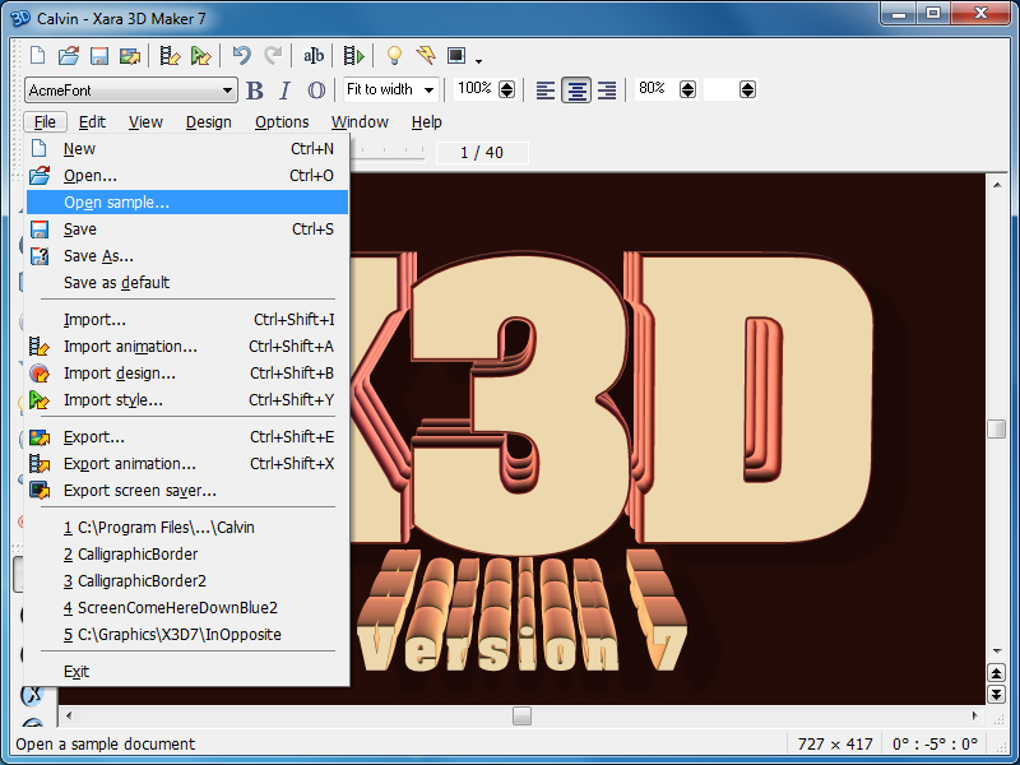
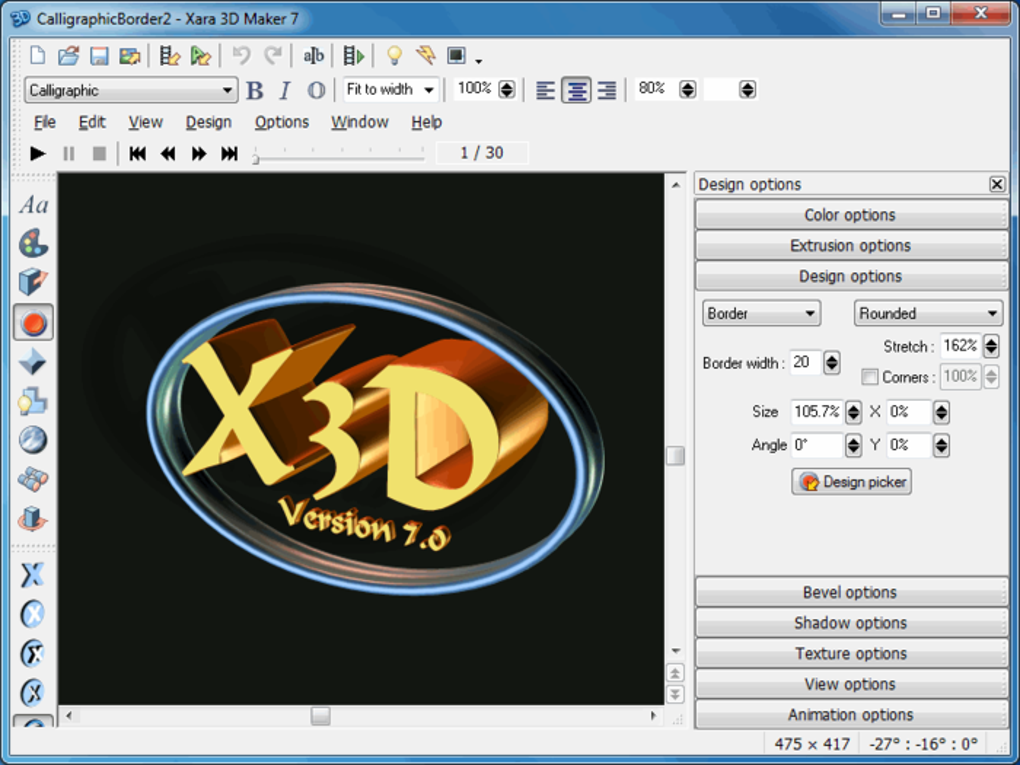
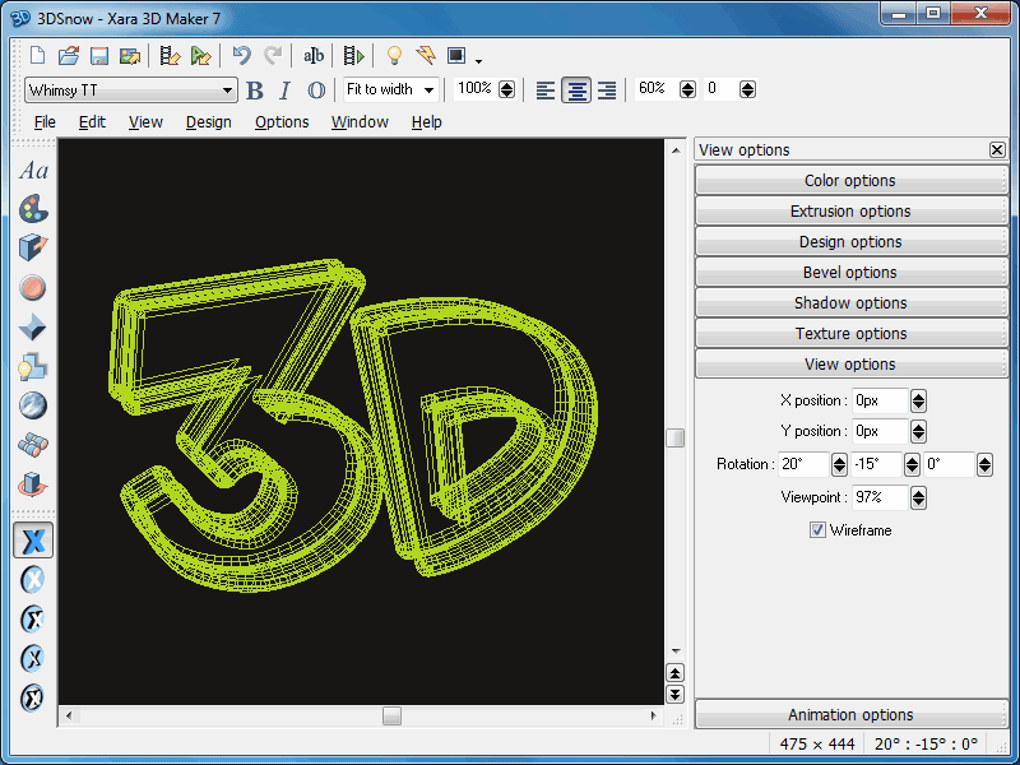
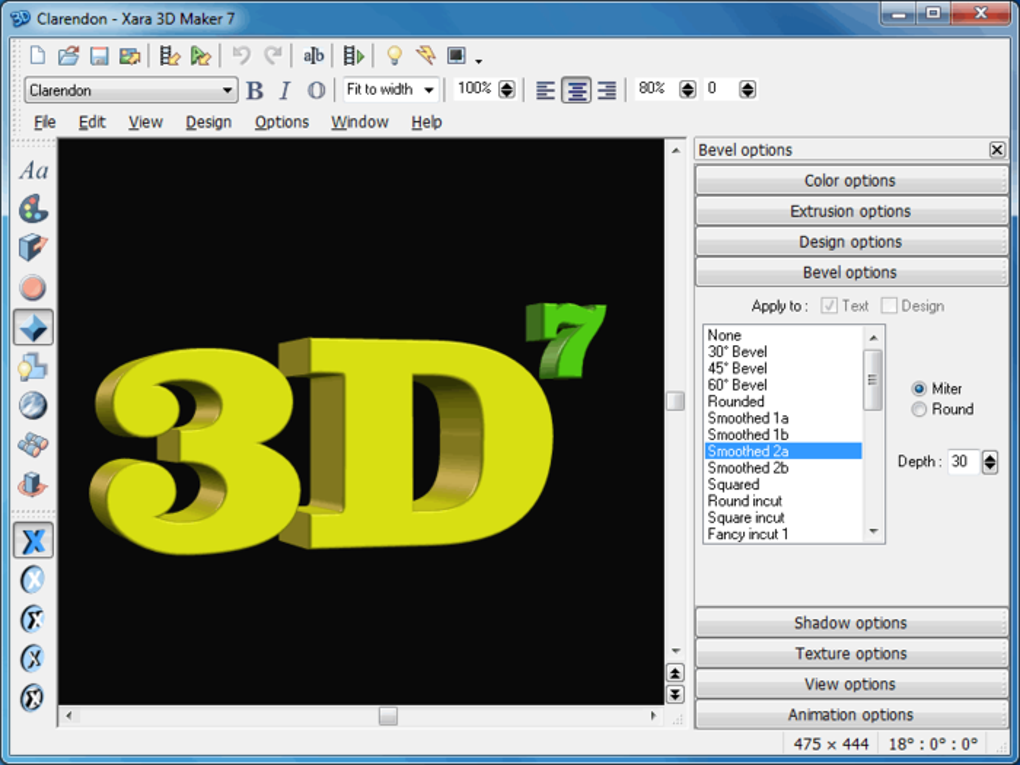
When you open Xara 3D Maker, you are greeted by a clean workspace: a text entry box at the top, a preview pane in the center, and a toolbar on the left containing extrusion, lighting, and export options. Type your desired text, select a font from the dropdown, and experiment with depth sliders to achieve the perfect 3D effect. The “Render” button generates a high‑resolution preview, which can be saved as an image or vector file for further editing in Photoshop or Illustrator.
Because the trial version adds a subtle watermark, consider purchasing the full license if you need clean, commercial‑ready assets. The upgrade process is seamless – simply enter the license key in the “Help → Enter License” menu, and the watermark disappears instantly.
Compatibility, Pros & Cons
System Compatibility
Xara 3D Maker runs on Windows XP, Windows Vista, Windows 7, and earlier Windows versions. It does not support Windows 8, 10, or 11, nor does it have native Mac, Android, or iOS builds. This narrow compatibility focus is intentional: the developers optimized the codebase for low‑end hardware, ensuring smooth performance even on machines with as little as 512 MB RAM and a basic graphics chip.
The application works in both 32‑bit and 64‑bit environments, though the installer is 32‑bit, which guarantees backward compatibility. Users should ensure that the latest Windows service packs are installed to avoid potential DLL conflicts.
Pros
- Very small download size – under 30 MB.
- Fast rendering on legacy Windows systems.
- Intuitive interface with real‑time preview.
- Multiple language support expands global reach.
- Free trial lets users test all core features before purchase.
Cons
- No native support for Windows 8/10/11, macOS, or mobile platforms.
- Watermark on exported files in the trial version.
- Last updated in 2016 – lacks modern UI polish.
- Limited to text‑based 3D; cannot model complex shapes.
- Upgrade required for commercial‑grade output.
Overall, Xara 3D Maker earns a solid four‑star rating for its speed, simplicity, and low‑resource demands, especially for users working on older Windows PCs.
Frequently Asked Questions
Is Xara 3D Maker truly free to use?
The trial version is free and includes all core features, but exported graphics carry a watermark. To remove the watermark and gain access to premium lighting presets, you must purchase a license.
Can I run Xara 3D Maker on Windows 10?
Officially, the software supports up to Windows 7. While some users report partial functionality on Windows 10, Xara does not guarantee compatibility, and you may encounter rendering glitches.
What file formats can I export?
Xara 3D Maker exports still images in PNG, JPEG, BMP, and vector files in SVG. The export dialog also offers options for background transparency.
Does the program support custom fonts?
Yes. Any TrueType (.ttf) or OpenType (.otf) font installed on your Windows system appears in the font dropdown, allowing you to create 3D text with brand‑specific typography.
How do I upgrade from the trial to the full version?
Purchase a license from Xara’s official store, receive a license key via email, and enter it under Help → Enter License. The program will instantly unlock the premium features and remove watermarks.
Conclusion – Should You Download Xara 3D Maker?
If you need a fast, low‑resource tool to create striking 3D text for logos, banners, or social media graphics, Xara 3D Maker delivers exactly that. Its tiny installer, straightforward UI, and real‑time preview make it a perfect fit for designers working on older Windows machines or those who prefer a single‑purpose application over heavyweight suites like Blender or Maya.
The main trade‑off is its limited platform support and the presence of a watermark in the free trial. However, the upgrade price is modest, and once licensed, the software becomes a reliable workhorse for any text‑centric 3D project.
Ready to give your typography a three‑dimensional boost? Download Xara 3D Maker now and start experimenting with depth, lighting, and style—no expensive subscription required.
Guides & Tutorials
How to install Xara 3D Maker
- Click the Download button above.
- Once redirected, accept the terms and click Install.
- Wait for the Xara 3D Maker download to finish on your device.
How to use Xara 3D Maker
This software is primarily used for its core features described above. Open the app after installation to explore its capabilities.
User Reviews
No reviews yet. Be the first to share your experience.
You may also like
more
Llama 2
Free-to-use large language model As the new addition to Meta’s arsenal of langua...

NotebookLM
Revolutionizing the note-taking and idea-generation process NotebookLM is an exp...

Github co pilot
AI-inspired software development and coding platform GitHub Copilot is a browser...

Google Gemma
Google’s lightweight AI models Introducing Google Gemma , a family of cutting-ed...

AI Image Enlarger
A free app for Windows, by ai-image-larger. AI Image Enlarger is a free software...

DALL E
AI-driven text-to-image transformation engine DALL·E is a free graphic and desig...